

-
Genuine Dyson spare parts and accessories for your machine:
-

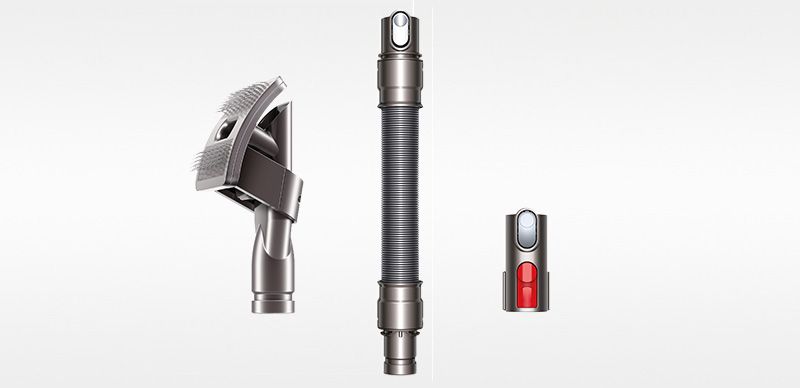
Pet grooming kit
Pet grooming kit
Part No. 972205-01
Captures loose hair as you brush your pet. Flexible bristles self-clean in an instant. For medium and long haired pets.
original price:Was $89.99
current price:$63.00
Save $26.99
-
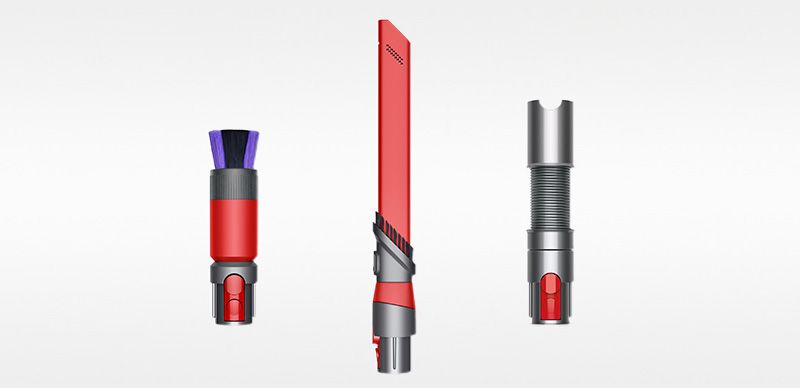
Detail cleaning Kit
Detail cleaning Kit
Part No. 972203-01
Dyson-engineered accessories to clean delicate surfaces and hard-to-reach places. In your home or car.
$74.99
-
Light pipe crevice tool
Light pipe crevice tool
Part No. 970466-01
Crevice tool with LED lights lets you reach into dark, narrow spaces and see where you're cleaning
$39.99
-
$11.99

-
How to get your Dyson machine working to its full potential.
-
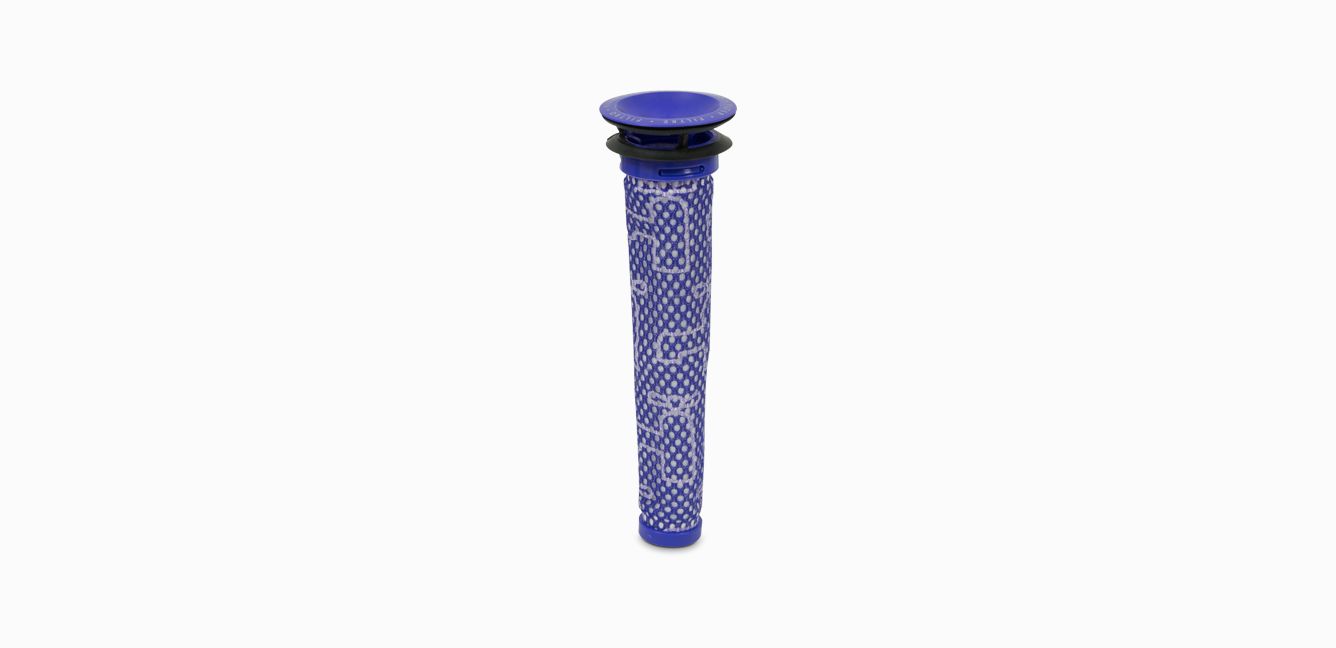
Wash the filter regularly
Washing your Dyson filter is quick and easy and keeps your machine performing at its best. Once washed, leave it for at least 24 hours in an area with good airflow, to ensure it's completely dry before returning it to the machine.
-
Secure the charging dock
Leave at least 1.2m between the floor and the lowest screw point. Make sure it's within easy reach of a power socket so the cable has some slack.
The service includes labor and spare parts where required (excluding additional accessories and filters), which are guaranteed for 12 months or until service support ends for your machine – whichever is soonest.




Frequently Asked Questions
If your Dyson V7™ vacuum has a short run time, it could be for a number of reasons:
- The power mode may need changing – Use the correct power mode for different cleaning tasks.
- The filter may need cleaning – Wash your filter once per month to clean away any debris.
- The cyclone may need cleaning – Detach your cyclone and clean it with a microfibre cloth.
- The battery needs replacing – Spares and accessories are listed above or order batteries at Dyson.com
Please click here for more detailed instructions on how to avoid, or fix, any problems you might experience with your machine.
If your Dyson V7™ vacuum doesn't have any power, or isn't turning on, it could be for a number of reasons:
- The battery has run out – Charge it on the dock or at the socket.
- The cyclone isn't fitted correctly – Make sure the cyclone is fully pushed down.
- The battery needs replacing – Spares and accessories are listed above or order a spare batteries at Dyson.com
- The main body is faulty – Contact our customer support to organise a replacement.
- The charger is faulty – Spares and accessories are listed above or order spare chargers at Dyson.com
Please click here for more detailed instructions on how to avoid, or fix, any problems you might experience with your machine.
If your Dyson V7™ vacuum cuts out, pulses or keeps shutting off, it could be for a number of reasons:
- The machine is blocked – Take your machine apart and check for blockages.
- The bin inlet may be stuck – Remove any blockages from the bin inlet.
- The filter may need cleaning – Wash your filter once per month to clean away any debris.
Please click here for more detailed instructions on how to avoid, or fix, any problems you might experience with your machine.
If your Dyson V7™ vacuum is performing poorly, or losing suction, it could be for a number of reasons:
- The filter may need cleaning – Wash your filter once per month to clean away any debris.
- The power mode may need changing – Use the correct power mode for different cleaning tasks.
- The tools may need cleaning – Clean them with a microfibre cloth and remove any blockages.
Please click here for more detailed instructions on how to avoid, or fix, any problems you might experience with your machine.
If your Dyson V7™ vacuum is jammed or blocked, it could be for a number of reasons:
- The filter may need cleaning – Wash your filter once per month to clean away any debris.
- The bin may need emptying – Empty your bin once whenever it reaches the Max fill line.
- The bin inlet may be stuck – Remove any blockages from the bin inlet.
- The tools may need cleaning – Clean them with a microfibre cloth and remove any blockages.
Please click here for more detailed instructions on how to avoid, or fix, any problems you might experience with your machine.
If you're encountering a blockage or loss in performance with your Dyson V7™ vacuum, it could be because you need to clean your filters:
- To remove the pre-filter, lift it out of the top of the machine.
- If your machine has a post-filter - To unlock the post-filter, rotate it anti-clockwise until the two solid black dots line up.
- With cold water only, run water over the outside of the filters until the water runs clear.
- Turn the filter upside down and shake to remove any excess debris. Squeeze and twist the pre-filter with both hands to make sure the excess water is removed, then tap and shake the post-filter to expel all.
- Leave the filter to dry with the open end facing up for as long as possible. Ensure the filter is completely touch dry prior to refitting. WARNING: Do not put the filter in a dishwasher, washing machine, tumble dryer, oven, microwave, or near a naked flame.
- To refit the filter, place the dry filter back into the top of the machine. Ensure it is fitted properly.
- If your machine has a post-filter - Rotate the post-filter clockwise until it locks in place and the solid black dot lines up with the empty circle.
Please click here for more detailed instructions on how to avoid, or fix, any problems you might experience with your machine.
Your Dyson V7™ vacuum features lights to communicate processes and needs to you. They include:
Lights during charging
- Solid blue – ON.
- Flashing blue – No power, charge battery.
- Flashing amber – No power, temporary fault (e.g. too hot/ cold).
- Solid amber – Fault (Contact customer support).
- Flashing red – Fault (Contact customer support).
Lights during use
- Solid blue – Charging.
- Flashing blue – Not charging – Re-fit charger or try another socket. If warning light persists, contact customer support.
- Lights off – Charging complete.
- Solid amber – Not charging, temporary fault (e.g. too hot/cold).
- Flashing red – Fault, contact customer support.
Please click here for more detailed instructions on how to avoid, or fix, any problems you might experience with your machine.